


The Ultimate Guide to Choosing Your Robot Vacuum Cleaner
Impact-Site-Verification: 78224dc1-8025-47a3-9ff0-10fb5f014c68
Picture this: You arrive home after a long day, and your floors are spotlessly clean—without you lifting a finger. That’s the promise of a robot vacuum cleaner, and it’s not just a luxury anymore; it’s become an accessible solution for busy households everywhere.
But here’s the challenge: walk into any electronics store or browse online, and you’ll face dozens of robot vacuum models ranging from $200 to over $1,500. Each one claims to be the best, with features you’ve never heard of and specifications that seem designed to confuse rather than clarify.
This guide cuts through the noise. Whether you’re a first-time buyer or looking to upgrade from an older model, you’ll learn exactly what to look for, which features actually matter for your home, and how to avoid overpaying for bells and whistles you’ll never use.
Understanding Your Needs: The Foundation of Smart Shopping
Before you compare specifications or read reviews, take fifteen minutes to assess your unique situation. The perfect robot vacuum for a studio apartment with hardwood floors looks very different from the ideal choice for a three-story home with pets and carpeting.
Home Size and Layout
Small apartments (under 800 sq ft): Entry-level models work perfectly fine. You don’t need advanced multi-floor mapping or extended battery life. Focus on compact designs that navigate tight spaces well.
Medium homes (800-2,000 sq ft): Look for systematic navigation and battery life of at least 90-120 minutes. Your robot vacuum should complete a full cleaning cycle without needing multiple recharges.
Large or multi-story homes (2,000+ sq ft): Invest in advanced mapping technology that remembers multiple floor plans. Premium models can store up to four different floor layouts, letting you move the vacuum between levels without re-mapping each time.
Floor Types Matter More Than You Think
The surface composition of your home dramatically affects which robot vacuum will perform best.
Hardwood and tile: Almost any robot vacuum handles smooth surfaces well. Prioritize models with gentle rubber wheels that won’t scratch, and ensure the suction adjusts automatically to prevent scattering debris.
Low-pile carpet: Standard suction (1,500-2,000 Pa) typically suffices. Most mid-range models handle this without issue.
High-pile or plush carpet: This is where you need serious power. Look for suction ratings of 2,500 Pa or higher, and verify the model specifically advertises strong carpet performance. Some budget models simply can’t generate enough power to pull dirt from deep carpet fibers.
Mixed flooring: Automatic surface detection becomes essential. The vacuum should recognize when it transitions from hardwood to carpet and adjust suction accordingly.
Pet Ownership: A Game-Changer
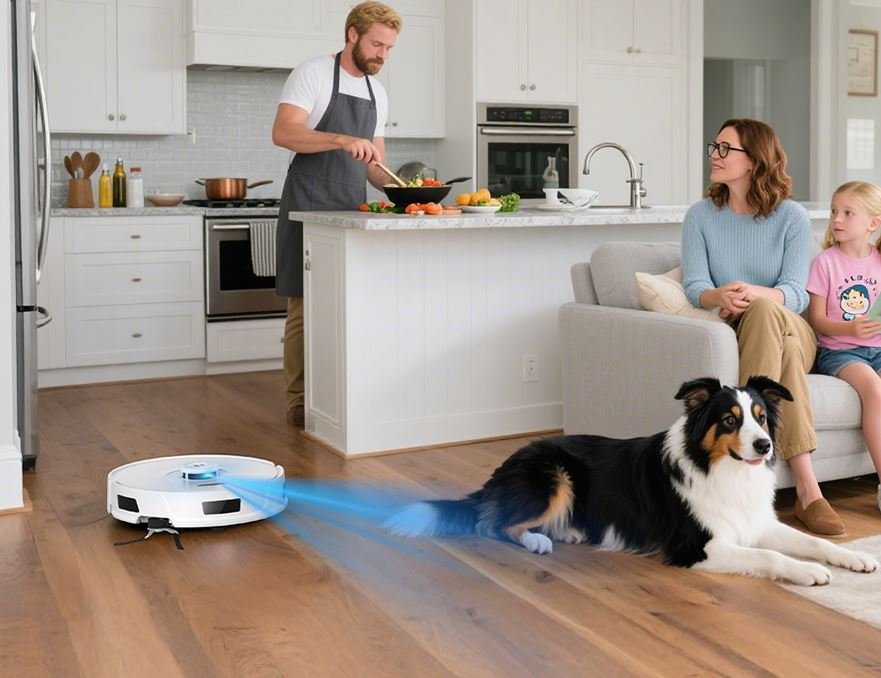
If you share your home with furry companions, pet hair management transforms from a “nice-to-have” into a “must-have” feature.
What to prioritize:
- Tangle-free rubber brush rolls (bristle brushes wrap with hair and require constant maintenance)
- High suction power (minimum 2,000 Pa for effective hair pickup)
- Larger dustbins (300ml minimum) since pet hair fills compartments quickly
- HEPA filtration to capture dander and allergens
- “Carpet boost” modes that increase power on rugs where pets lounge
Reality check: No robot vacuum prevents 100% of tumbleweeds in corners. They reduce daily hair accumulation by 70-80%, but you’ll still need occasional manual cleanup.
Allergy Sufferers: Filtration Is Everything
Standard filters capture visible dirt but allow microscopic allergens to recirculate into your air. If anyone in your household has allergies or asthma, this matters enormously.
HEPA filters trap 99.97% of particles as small as 0.3 microns—including pollen, dust mites, mold spores, and pet dander. But here’s the catch: a HEPA filter alone isn’t enough. The vacuum needs a sealed system that prevents unfiltered air from escaping through gaps in the body. Many manufacturers advertise HEPA filters while ignoring system sealing, rendering the filter far less effective.
Budget: What Different Price Points Buy You
Under $300 (Entry-level): Random or basic navigation, shorter battery life, manual scheduling, smaller dustbins. Perfect for small spaces or light cleaning needs.
$300-$600 (Mid-range): Systematic navigation with mapping, app control, virtual boundaries, longer runtime, better suction. The sweet spot for most households.
$600-$1,000 (Premium): Advanced LiDAR navigation, multi-floor mapping, obstacle avoidance, larger dustbins, premium build quality, often includes mopping.
$1,000+ (Ultra-premium): Self-emptying bases, advanced AI obstacle recognition, powerful mopping with automatic mop lifting, longest battery life, quietest operation.
Specific Cleaning Challenges
Stairs: No robot vacuum climbs stairs. If you have multiple levels, you’ll either need to carry it up and down or purchase multiple units.
Tight spaces: Measure your furniture clearances. Most robot vacuums are 3.5-4 inches tall, but slimmer 3-inch models exist for low-clearance furniture.
Heavy dirt or outdoor debris: If you live in a dusty area or frequently track in outdoor mess, prioritize maximum suction power and large dustbin capacity.
Smart Home Integration
Do you already use Google Assistant, Amazon Alexa, or Apple HomeKit? Voice control integration lets you start cleaning sessions hands-free: “Alexa, tell Roomba to clean the kitchen.” IFTTT support enables advanced automation, like automatically vacuuming when your smart home detects you’ve left for work.
Essential Features Decoded
Now that you understand your needs, let’s examine the features that appear on spec sheets—and what they actually mean for your daily experience.
Navigation and Mapping: The Brain of Your Robot Vacuum
This single feature separates frustrating, inefficient models from reliable workhorses.
Random navigation: The vacuum bounces around until it (hopefully) covers everything. Think of a ball in a pinball machine. Budget models use this approach, and while they eventually clean most areas, they waste time, miss spots, and drain batteries inefficiently. Only consider this for very small spaces.
Systematic navigation with sensors: Uses gyroscopes and sensors to move in logical patterns (often straight lines). Better than random but still creates imperfect coverage maps.
Visual SLAM (vSLAM): Uses cameras to map your home and navigate. Works well in good lighting but struggles in dark rooms or at night.
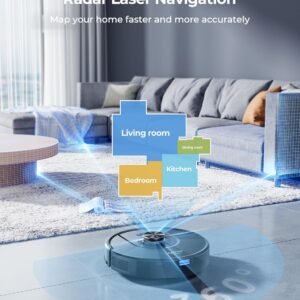
LiDAR navigation: Uses laser sensors to create precise 3D maps of your home, even in complete darkness. This is the gold standard. LiDAR-equipped vacuums clean efficiently, rarely miss spots, and create the most accurate maps.
Why mapping matters: Beyond efficient cleaning, mapping enables powerful features like no-go zones (block off pet bowls or delicate rug areas), room-specific cleaning (“clean the kitchen”), and scheduled room rotation (“vacuum bedrooms on Monday, living areas on Wednesday”).
Multi-floor mapping: Essential for homes with multiple levels. The vacuum remembers each floor’s layout without re-mapping every time you move it.
Suction Power: Understanding Pascal (Pa) Ratings
Suction power gets measured in Pascals (Pa). Higher numbers mean stronger suction, but context matters.
1,000-1,500 Pa: Adequate for hardwood and tile, insufficient for carpets or pet hair.
1,500-2,500 Pa: Handles low-pile carpet and moderate pet hair. The baseline for most households.
2,500-4,000 Pa: Strong performance on all floor types, excellent pet hair removal, deep cleaning of carpets.
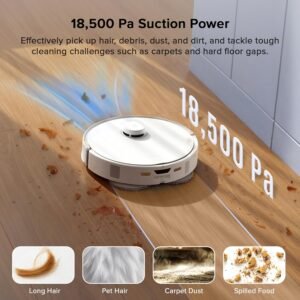
4,000+ Pa: Premium power for the most demanding situations—thick carpets, heavy shedders, large debris.
Important note: Manufacturers sometimes inflate these numbers or measure them under optimal laboratory conditions. Read user reviews to verify real-world performance matches advertised specifications.
Battery Life and Charging Intelligence
Battery capacity determines how much area your robot can cover per charge.
Runtime: Entry-level models offer 60-90 minutes; premium models run 120-180+ minutes. Calculate whether the runtime covers your home’s square footage. As a rough guide, most robot vacuums clean 100-150 square feet per 10 minutes of runtime.
Automatic recharge and resume: When the battery runs low mid-cleaning, smart models return to their dock, recharge, then automatically resume where they left off. Without this feature, large homes require you to manually restart after charging—incredibly inconvenient.
Battery type: Lithium-ion batteries last 2-3 years before capacity degrades significantly. Replacement costs vary from $40-$100.
Dustbin Capacity: The Forgotten Spec
A tiny dustbin means frequent emptying—sometimes multiple times per cleaning session if you have pets.
Small (below 300ml): Requires emptying after every use in most homes.
Medium (300-500ml): The sweet spot for weekly emptying in average homes.
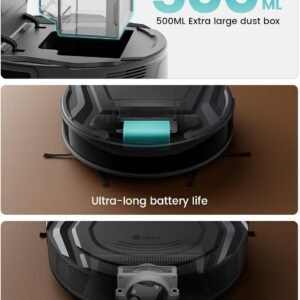
Large (500ml+): Ideal for pet owners or infrequent maintenance.
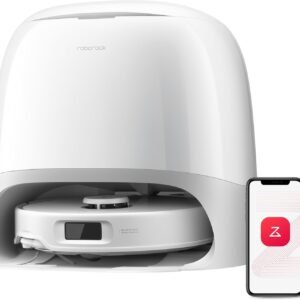
Self-emptying bases: These game-changing accessories automatically empty the robot’s dustbin into a larger bag or bin in the charging station. You might only need to change the base bag every 30-60 days. The convenience comes at a premium—adding $200-$400 to the cost—but for many users, it’s absolutely worth it.
Brushes and Filters: The Cleaning Mechanism
Main brush types:
- Bristle brushes: Better at agitating and lifting dirt from carpets but tangle easily with hair
- Rubber brush rolls: Virtually tangle-free, making them ideal for pet owners, though slightly less effective on deep carpet cleaning
- Hybrid designs: Some premium models include both rubber and bristle elements
Side brushes: These spinning brushes extend beyond the vacuum’s body to sweep debris from edges and corners toward the main brush. Models with two side brushes generally clean edges more thoroughly than single-brush designs.
Filter maintenance: Most filters need cleaning every 2-4 weeks and replacement every 2-3 months. HEPA filters typically last 6-12 months. Factor these ongoing costs into your budget—replacement filters run $15-$40 per set.
Smart Features and Connectivity
Modern robot vacuums are essentially smartphones with wheels. Here’s what app connectivity enables:
Essential smart features:
- Start, stop, and schedule cleaning from anywhere
- View cleaning maps and history
- Adjust suction power modes
- Set no-go zones and virtual boundaries
- Receive maintenance notifications (filter cleaning, brush tangles)
Advanced features:
- Room-specific cleaning and scheduling
- Multiple cleaning modes per room (quick clean bedrooms, deep clean kitchen)
- Integration with security cameras or smart displays
- Custom cleaning routines (increase suction in pet areas, reduce in nursery)
Do you need this? If you have a consistent schedule and don’t mind pre-programming the vacuum, basic models without apps work fine. But app control offers tremendous flexibility—especially the ability to start an unexpected cleaning when guests text they’re coming over.
Mopping Functionality: Managing Expectations
Many robot vacuums now include mopping capabilities, but understanding their limitations is crucial.
How they work: A water tank and microfiber pad attach to the vacuum’s underside. The pad drags across the floor, providing light mopping action.
What they do well:
- Remove light dust and dried spills on hard floors
- Maintain shine on tile and hardwood between deep cleans
- Handle daily maintenance mopping
What they don’t do:
- Remove stuck-on grime or sticky messes
- Provide scrubbing action (most just drag a damp cloth)
- Replace traditional mopping for deep cleaning
Important considerations:
- Vacuum-only mode should still work excellently; don’t compromise vacuuming performance for mediocre mopping
- Look for models that automatically lift mop pads when detecting carpet
- Water tank capacity matters—larger tanks cover more area per fill
- Some premium models now include rotating mop pads with actual scrubbing action, which perform substantially better than static pads
Self-Emptying Bases: Worth the Investment?
Self-emptying technology has revolutionized robot vacuum convenience. After each cleaning session, the robot docks, and the base station uses powerful suction to transfer debris from the robot’s small bin into a much larger container.
Advantages:
- Minimal maintenance—empty the base every 30-60 days instead of daily
- Ideal for pet owners, allergy sufferers, or anyone who wants “set and forget” operation
- Reduces exposure to dust and allergens during emptying
Drawbacks:
- Significant cost premium ($200-$400 more than base models)
- The emptying process is loud (though brief—usually 10-15 seconds)
- Requires larger charging station footprint
- Replacement bags cost $15-$25 for a 3-pack (bagless bases exist but are less common)
Who should invest: If you run your robot vacuum daily, have pets, or simply value maximizing hands-off operation, self-emptying bases deliver excellent return on investment.
Noise Level: The Overlooked Factor
Robot vacuums operate between 55-70 decibels. For context, normal conversation is about 60 dB, and a traditional vacuum is around 70-80 dB.
Why it matters: If you work from home, have young children who nap, or live in an apartment with noise-sensitive neighbors, a quieter model (55-60 dB) significantly impacts your quality of life.
Trade-offs: More powerful suction often means more noise. Some models offer “quiet” cleaning modes with reduced suction and noise for night or nap-time operation.
Top Robot Vacuum Brands and Their Strengths
Understanding brand positioning helps narrow your search quickly.
iRobot (Roomba): The pioneer brand with exceptional reliability and customer service. Known for robust navigation systems and extensive repair/support networks. Generally premium-priced but backed by years of refinement. Best for buyers who prioritize established reputation and long-term support.
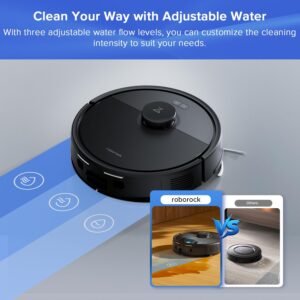
Roborock: Chinese manufacturer that’s become the darling of tech enthusiasts. Offers exceptional value with advanced features like precision LiDAR navigation and effective 2-in-1 vacuum/mop functionality at mid-range prices. Innovation-forward with regular software updates.
Ecovacs (Deebot): Feature-rich options with strong mopping capabilities. Often includes premium features at competitive prices. Good middle ground between budget and premium brands.
Shark: Known for excellent value and innovative self-empty technology. Their self-empty bases are often more affordable than competitors while maintaining good performance. Strong option for budget-conscious buyers who want premium features.
Eufy: Offers solid entry-level to mid-range options with good build quality and surprisingly strong performance for the price. Less advanced navigation than premium brands but reliable for straightforward homes.
Neato: Distinctive D-shape design excels at corner and edge cleaning. Known for excellent navigation and strong suction, though the brand’s future is uncertain after recent corporate challenges.
Yeedi: Budget-friendly options from a newer manufacturer. Good performance-per-dollar ratio, though potentially less long-term reliability data than established brands.
Setting Your Robot Vacuum Up for Success
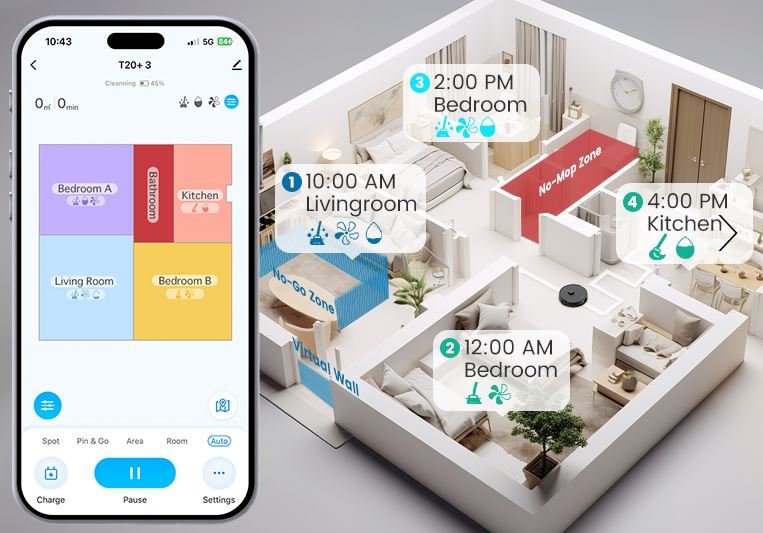
Even the best robot vacuum needs proper preparation to perform optimally.
Prepping Your Home
Before first use:
- Pick up small objects (toys, socks, charging cables) that could jam the vacuum
- Secure loose rug edges that might catch on wheels
- Tuck away dangling cords from blinds or curtains
- Remove small, lightweight items (like pet toys) the vacuum might push around
- Check floor clearances—ensure the vacuum can fit under furniture you want cleaned
Pet-specific prep:
- Pick up solid waste before running (robot vacuums and accidents are a catastrophic combination)
- Secure pet food bowls or create no-go zones around them
- Remove pet toys that might jam the vacuum
Initial Mapping and Setup
Most modern robot vacuums need an initial mapping run to learn your home’s layout.
For best results:
- Ensure all interior doors are open so the vacuum can map the entire space
- Keep lights on for camera-based navigation systems
- Stay nearby during the first run to rescue the vacuum if it gets stuck
- Run the mapping session when the home is unoccupied by people and pets for uninterrupted navigation
- Once mapped, label rooms in the app for easier scheduling
Maintenance: Keep It Running Smoothly
Regular maintenance takes 5-10 minutes weekly and dramatically extends your robot vacuum’s lifespan.
Weekly tasks:
- Empty the dustbin (or check self-empty base bag level)
- Remove tangled hair from brushes and wheels
- Wipe sensors with a soft, dry cloth
- Check for worn side brushes
Monthly tasks:
- Clean or replace filters according to manufacturer guidelines
- Deep clean brush rolls
- Inspect wheels for debris or damage
- Wipe down charging contacts
Every 3-6 months:
- Replace filters (HEPA filters may last longer)
- Replace worn side brushes
- Check battery health (runtime significantly decreased suggests replacement need)
Common Myths and Misconceptions
Let’s dispel some unrealistic expectations that lead to disappointed buyers.
Myth: “Robot vacuums clean as well as traditional vacuums.”
Reality: Robot vacuums excel at maintenance cleaning—keeping floors consistently clean between deep cleaning sessions. They handle daily dust, crumbs, and pet hair admirably. However, they lack the suction power and agitation of full-size vacuums. Think of them as supplements, not complete replacements. You’ll still benefit from traditional vacuuming monthly or bi-weekly, but your home stays cleaner day-to-day.
Myth: “They’re only worth it if you have pets.”
Reality: Pet owners certainly benefit tremendously, but anyone who values time savings benefits equally. Even without pets, homes accumulate surprising amounts of dust, tracked-in dirt, and debris. Robot vacuums handle this daily maintenance automatically, freeing up your time for activities you actually enjoy.
Myth: “They get stuck constantly and need constant supervision.”
Reality: Early-generation robot vacuums struggled with obstacles, but modern models navigate impressively well. Premium models with advanced obstacle detection avoid common hazards (cables, shoes, pet waste) with startling accuracy. That said, initial home preparation helps—picking up obvious obstacles creates smoother operation.
Myth: “More expensive always means better.”
Reality: Price correlates with features, but expensive doesn’t guarantee suitability for your specific needs. A $1,200 model with advanced obstacle avoidance and mopping is overkill for a small apartment with hardwood floors. Conversely, a $250 budget model will frustrate you endlessly in a large carpeted home with pets. Match features to needs, not budget to maximum.
Myth: “They damage furniture and walls.”
Reality: Robot vacuums include bumper sensors and move slowly enough that contact is gentle. They won’t damage furniture any more than regular use does. However, delicate items (like a wobbly floor lamp or collectible figurine) should be secured or placed in no-go zones.
Making Your Decision: A Simple Framework
After absorbing all this information, use this decision framework to narrow your choices:
Step 1: Define non-negotiables List the 2-3 features you absolutely must have based on your home (e.g., “strong pet hair pickup,” “multi-floor mapping,” “quiet operation”).
Step 2: Set your realistic budget Remember to include ongoing costs: replacement filters, bags for self-empty bases, and eventual battery replacement.
Step 3: Identify deal-breakers What would make you return the vacuum? Excessive noise? Poor carpet performance? Unreliable app connectivity? Knowing this helps filter out unsuitable models quickly.
Step 4: Research specific models With your criteria clear, read reviews from both professional reviewers and verified owners. Pay special attention to reviews from users with similar homes and needs.
Step 5: Check return policies Even thorough research can’t guarantee a robot vacuum will perform perfectly in your unique home. Ensure you can return or exchange if it doesn’t meet expectations.
Your Next Steps
Choosing a robot vacuum cleaner doesn’t have to be overwhelming. The key is matching features to your actual needs rather than being dazzled by every cutting-edge capability.
Start by honestly assessing your home size, floor types, and specific challenges. Decide which features solve real problems for you versus which are nice-to-have extras. Set a realistic budget that accounts for the total cost of ownership.
Remember: the best robot vacuum isn’t the one with the most features or the highest price tag. It’s the one that reliably keeps your floors clean with minimal intervention, fitting seamlessly into your lifestyle and home environment.
Ready to dive deeper? Explore our detailed reviews of specific robot vacuum models, compare top picks for pet owners, or discover the best budget options that don’t sacrifice essential features. Your cleaner home is just one smart purchase away.
-
Cleaning Robots, Robot Vacuum
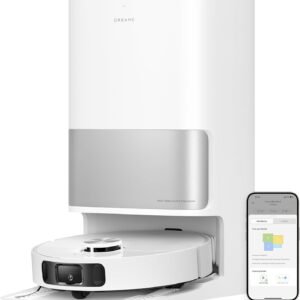
DREAME Aqua10 Ultra Roller Robot Vacuum
$2,299.99There is no AI review summary. -
All Robots, Cleaning Robots, Robot Vacuum
Dreame D9 Max Gen 2 Robot Vacuum and Mop
$149.99There is no AI review summary. -
All Robots, Cleaning Robots, Robot Vacuum
Dreame L10s Ultra Gen 2 Robot Vacuum and Mop
$859.99There is no AI review summary. -
All Robots, Cleaning Robots, Robot Vacuum
ECOVACS DEEBOT T50 MAX PRO Omni Robot Vacuum and Mop
$1,099.99There is no AI review summary. -
All Robots, Cleaning Robots, Robot Vacuum
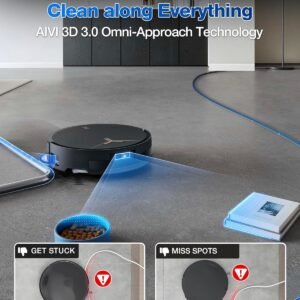
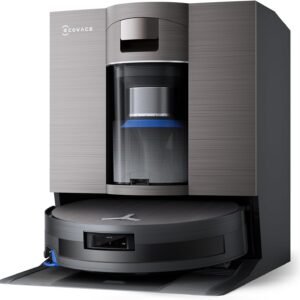
ECOVACS DEEBOT X11 OmniCyclone Robot Vacuum and Mop
$1,999.99There is no AI review summary. -
All Robots, Cleaning Robots, Robot Vacuum
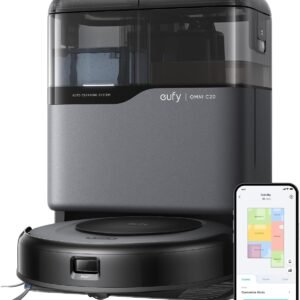
eufy Robot Vacuum Omni C20, Robot Vacuum and Mop Combo
Original price was: $899.99.$549.99Current price is: $549.99.There is no AI review summary. -
All Robots, Cleaning Robots, Robot Vacuum
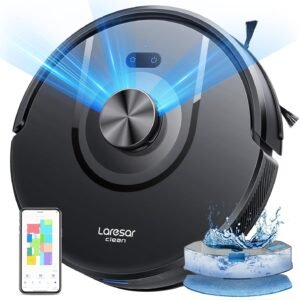
Laresar Clean Robot Vacuums and Mop
$188.88There is no AI review summary. -
All Robots, Cleaning Robots, Robot Vacuum
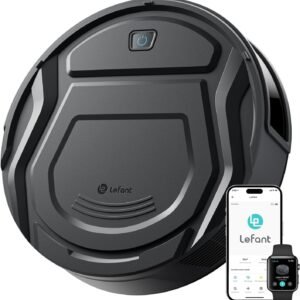
Lefant Robot Vacuum Cleaner
$135.99There is no AI review summary. -
All Robots, Cleaning Robots, Robot Vacuum
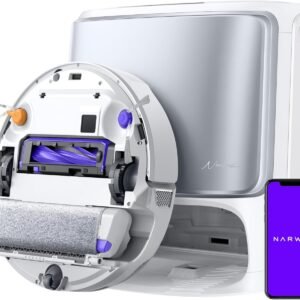
NARWAL Flow Robot Vacuum and Mop
$1,999.99There is no AI review summary. -
All Robots, Cleaning Robots, Robot Vacuum
Narwal Freo S Robot Vacuum and Mop Combo
$479.00There is no AI review summary. -
All Robots, Cleaning Robots, Robot Vacuum
Roborock Q7 L5+ Robot Vacuum and Mop
Original price was: $599.99.$399.99Current price is: $399.99.There is no AI review summary. -
All Robots, Cleaning Robots, Robot Vacuum
Roborock Qrevo Curv S5X Robot Vacuum and Mop
Original price was: $1,499.99.$999.99Current price is: $999.99.There is no AI review summary.




LEAVE A COMMENT